
You can now fetch your Youzign designs inside your VR Agency 360 account.
Here's how to connect both apps:
1. Login to your VR Agency 360 account here.
Inside your dashboard area, head over to the "Integrations" tab at the top right corner.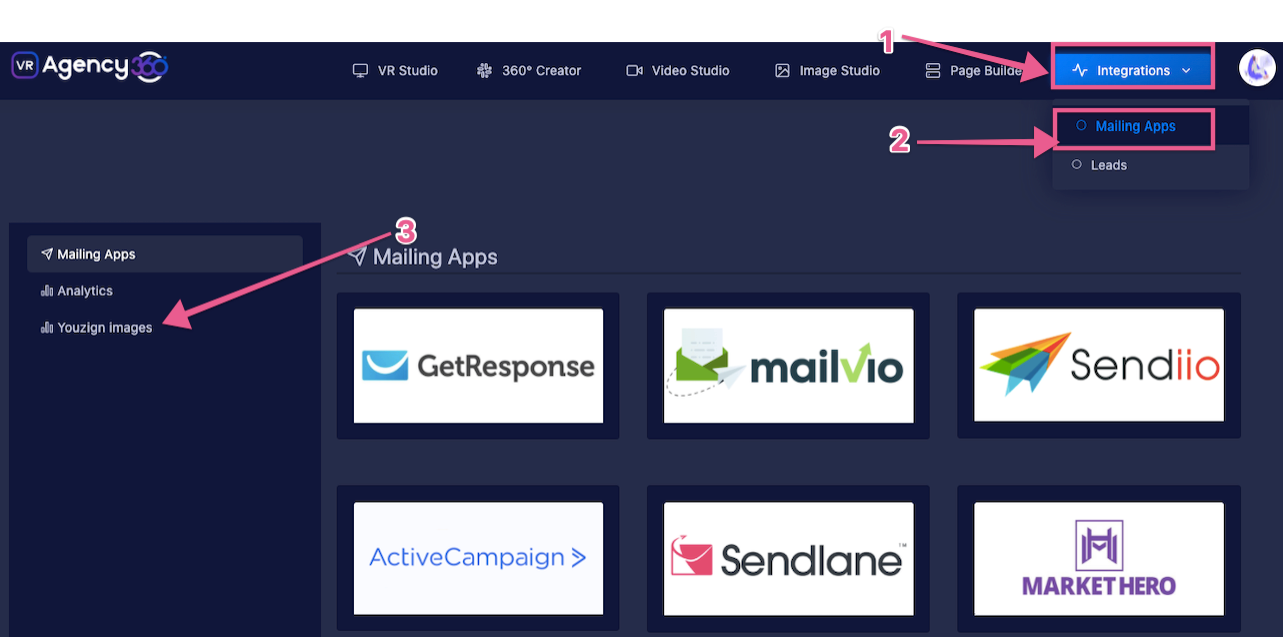
2. Connect your Youzign account by selecting "Mailing Apps" from the submenu then "Youzign Images". Click here to get your API Public Key and token.
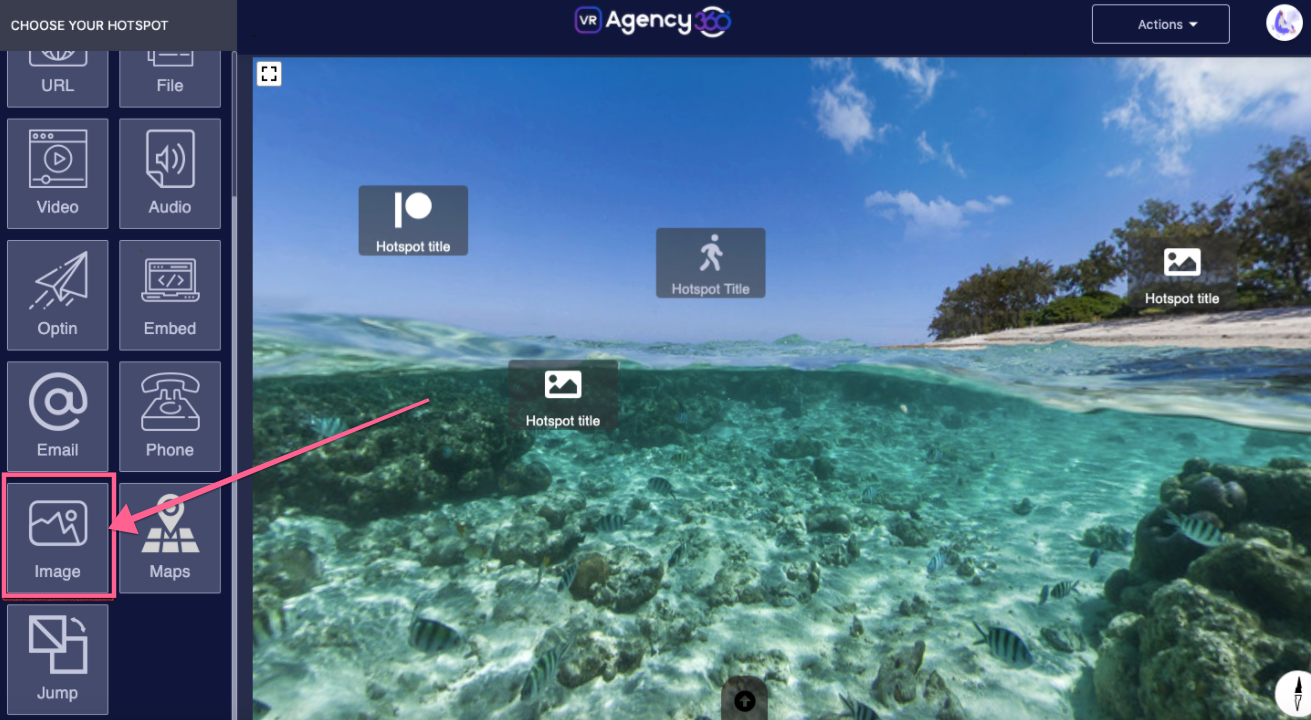
3. After successfully connecting your accounts, you can now fetch your Youzign designs inside the VR Agency editor. Simply click on the "Add an Image" module to the 360 image.
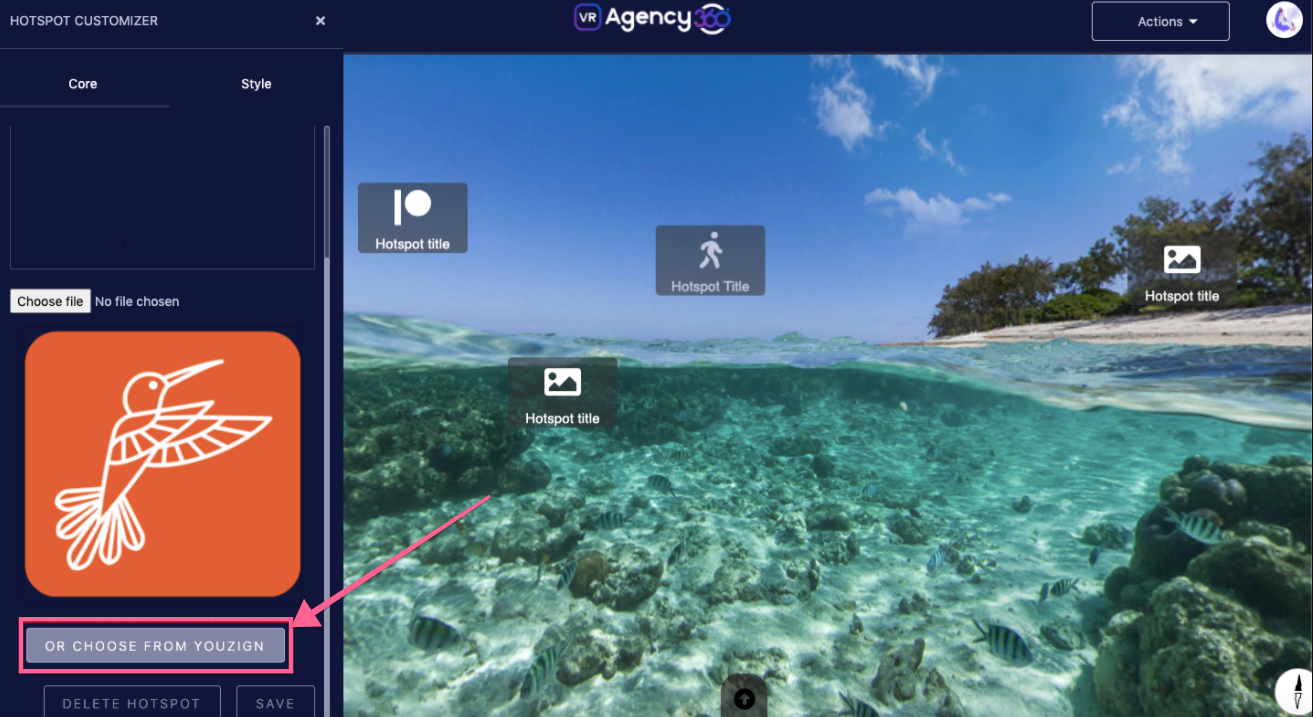
4. Inside the Image module click "Choose from Youzign"
That's it! :)