
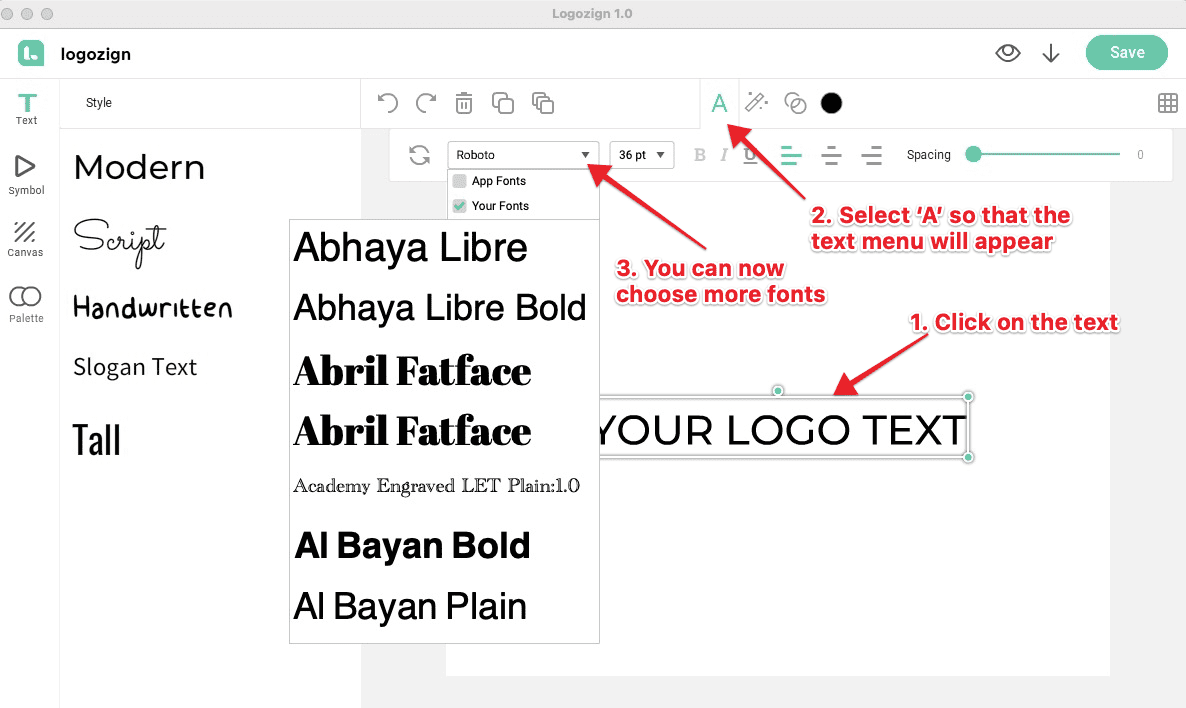
Here are the steps to use your own fonts in Logozign.
1. Load a text in the canvas.
2. Select the text and click on the 'A' icon on the top menu. This will show the text options.
3. Click on the dropdown button on the fonts menu so you can pick a font from the app's font or from your device's font.