There are tons of services that you can offer to your clients! Here are the simple steps to add them to your Agencyzign account:
1. Once you log in choose the Agency View then, go to the Settings page.
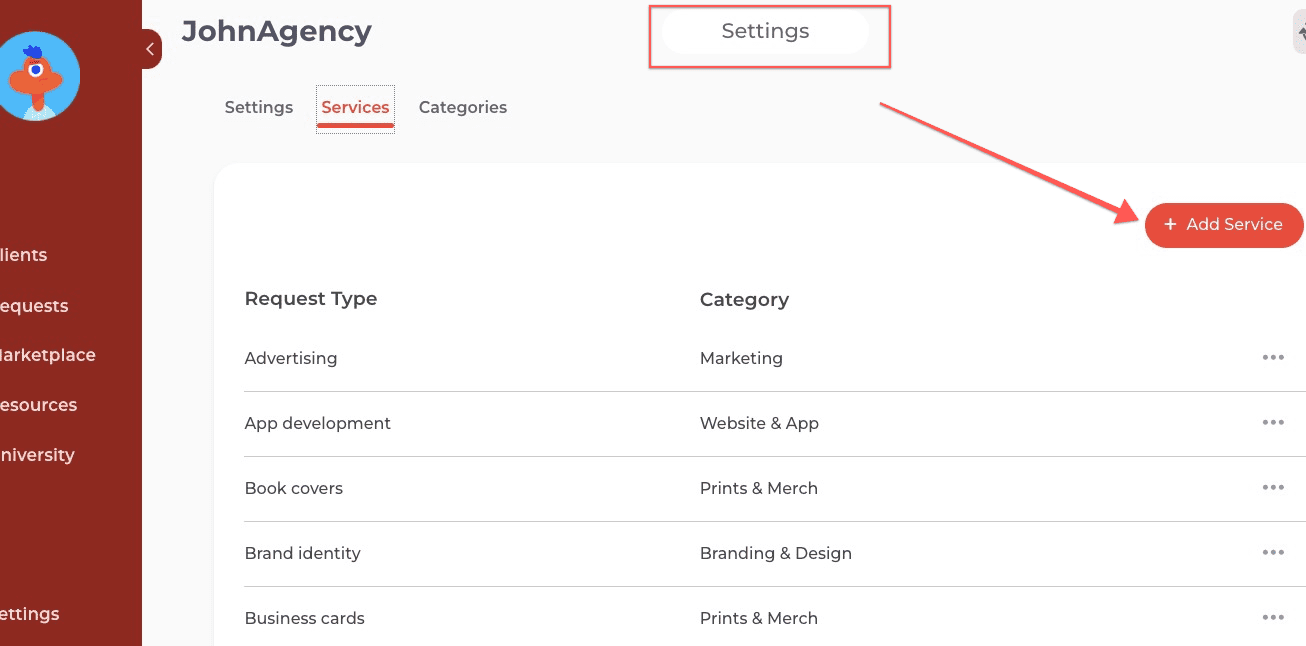
There you'll see the Add Service button. Click it!
2. Fill out the form with all the relevant details of your service.
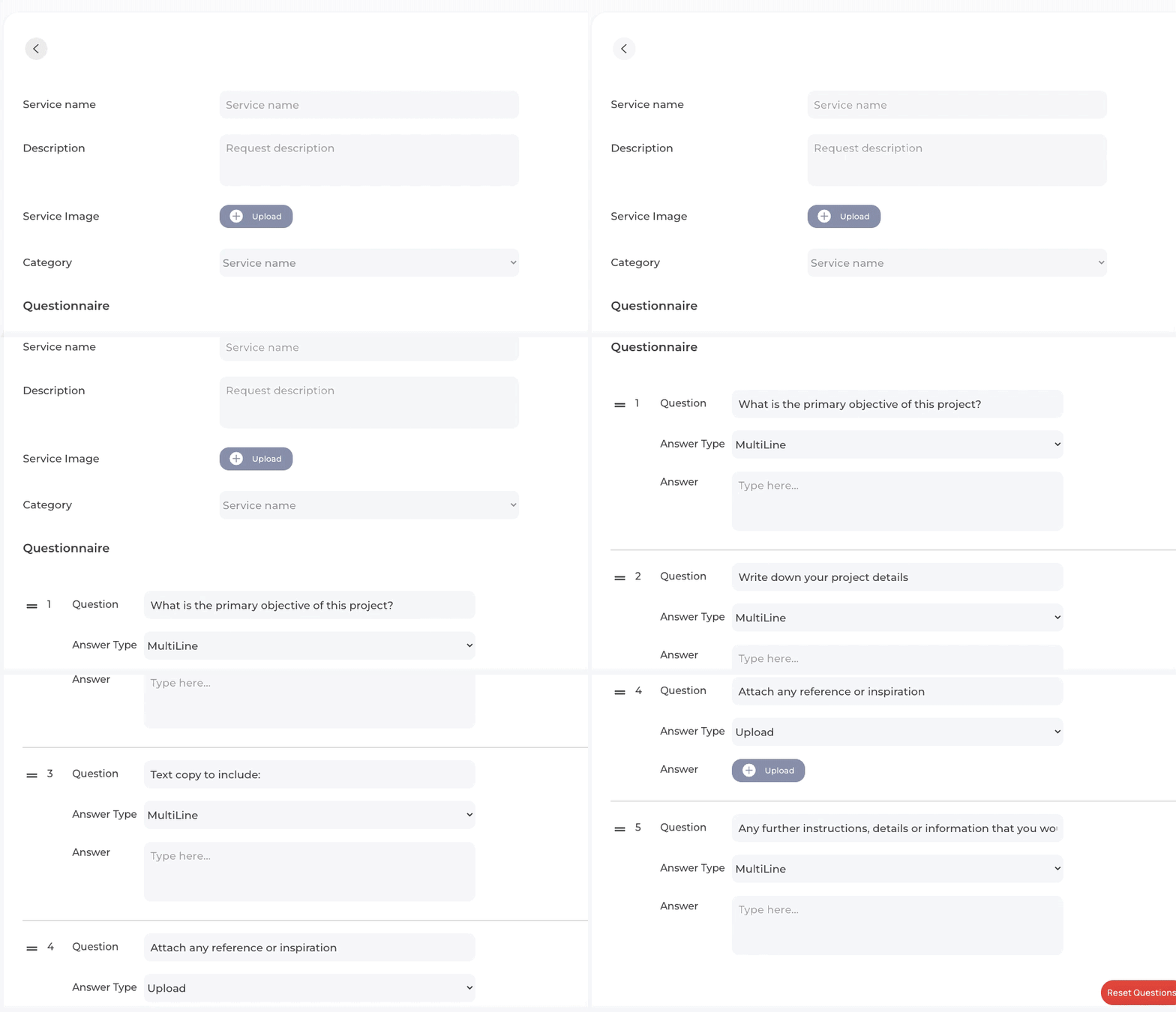
If you think that the sample questions do not reflect the type of service that you offer or missing info, you can always reset or add a question on the bottom right corner of the form.