
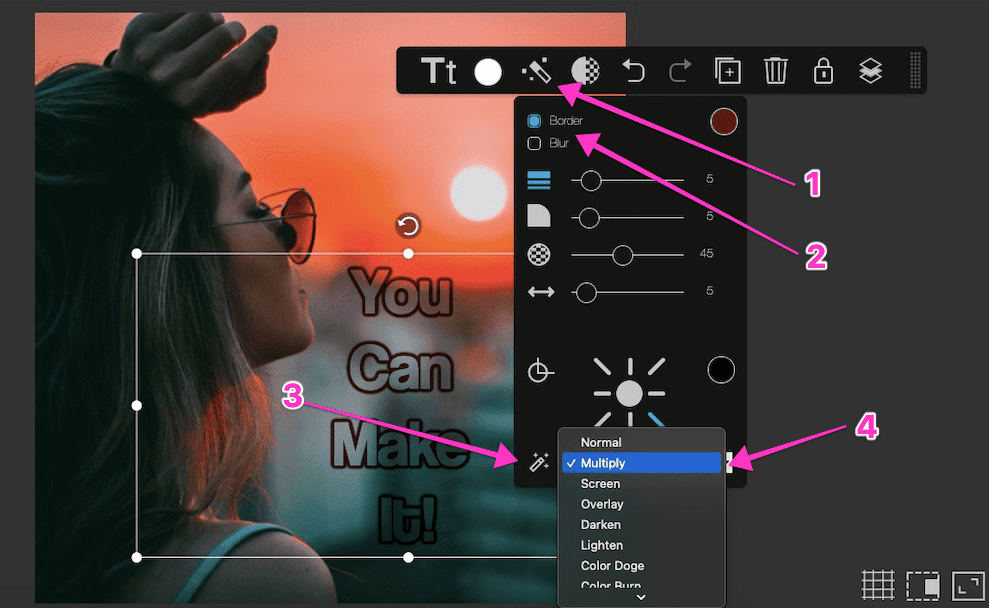
To create a no-fill text effect in Youzign:
1. Add your text and select the Effects tool;
2. Tick the Border effect;
3. Select the Blend tool at the bottom. This will open a dropdown menu;
4. Choose Multiply
This feature will create a transparent effect for your texts, shapes, and images.