
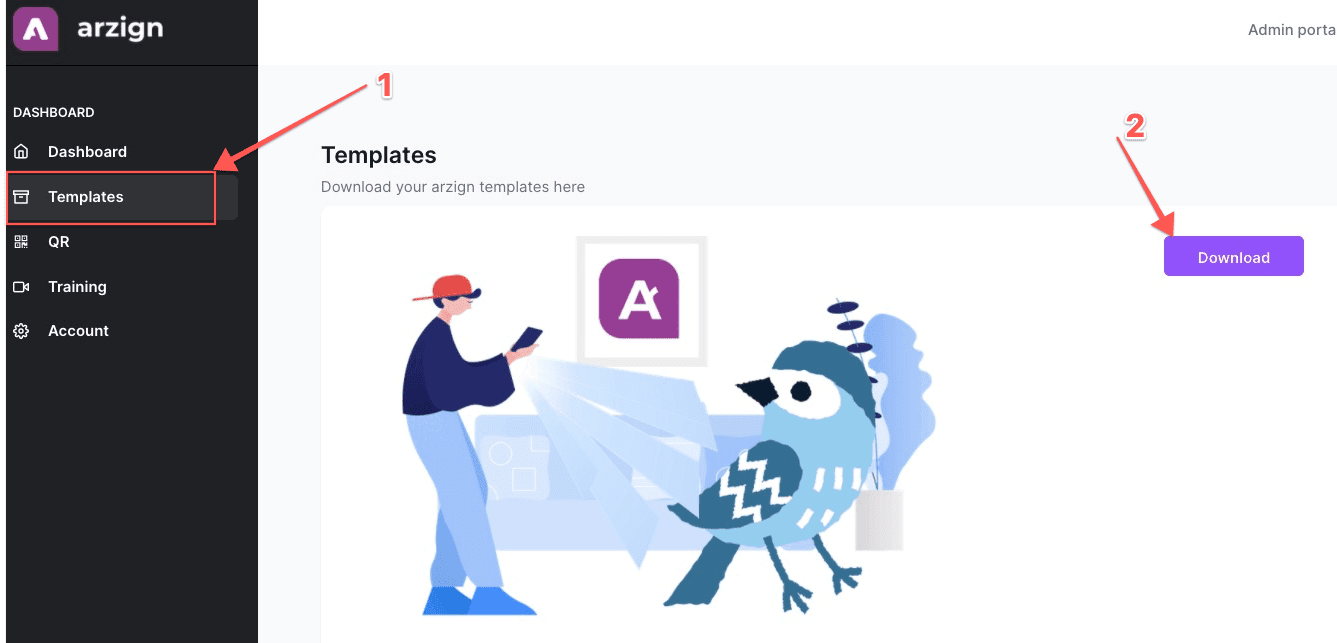
1. To use the templates, simply download them first from the templates page to your desktop...
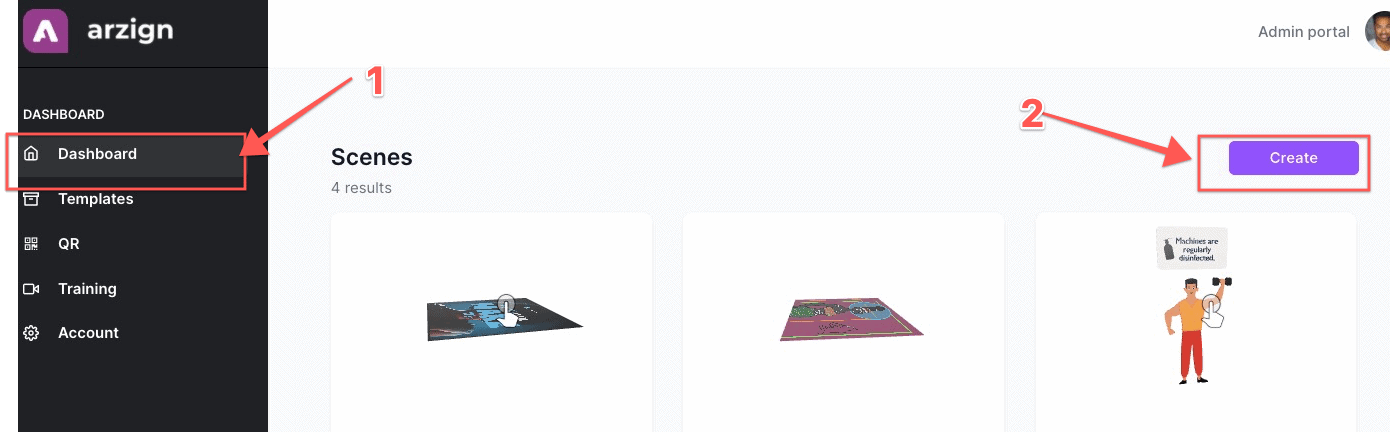
2. Go back to the dashboard area and click Create.
3. Simply add a name for your scene on Step 1, and choose a Marker on Step 2. In Step 3, this is where you can upload one of the templates which is in GLTF file.
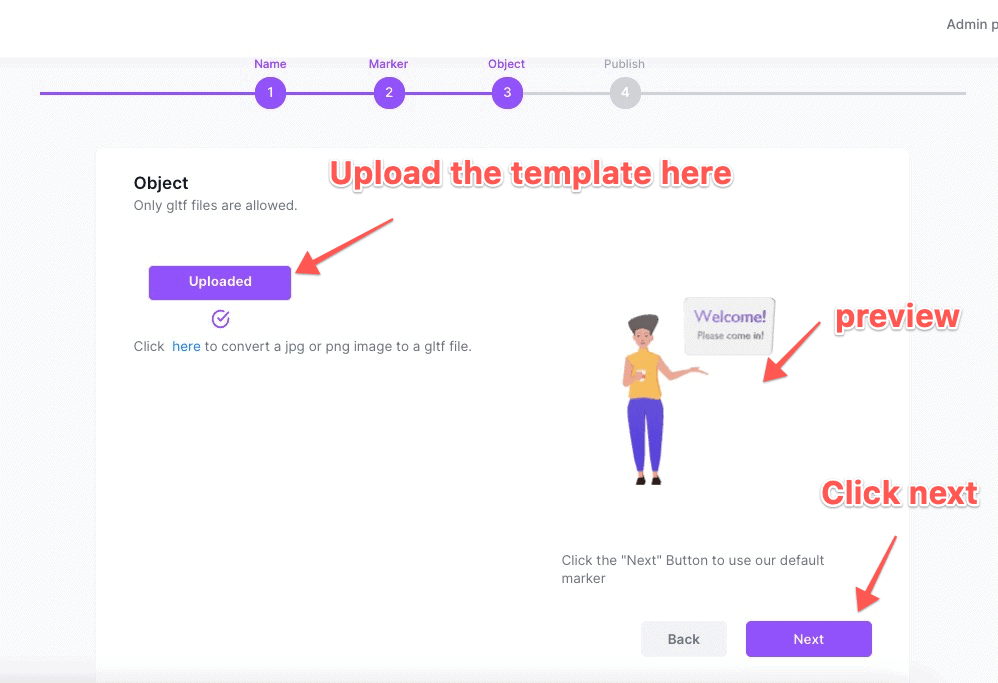
That's it! Make sure to click on Done in Step 4 and you can already use this as an object for your AR