
You can push a design to your teammates via the team share feature.
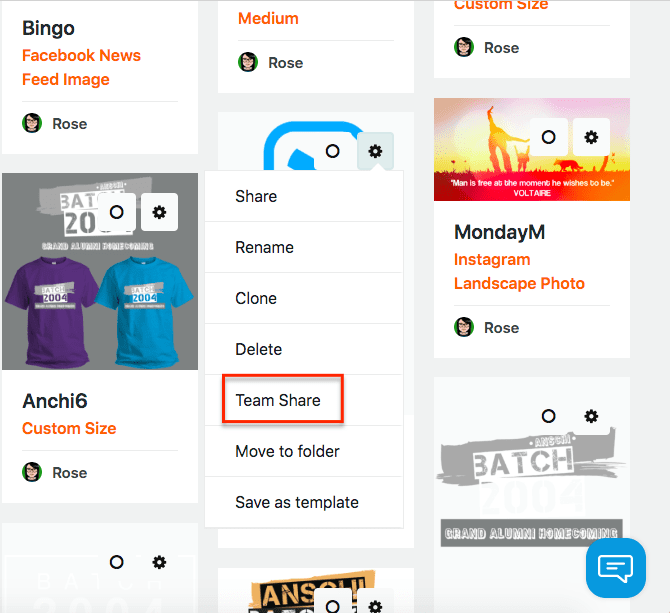
Simply hover your cursor on the gear icon on top of the design you wish to share. Next, click on the "Team Share" option. This will automatically push the design to your team on the Team tab.
Your teammates will be able to edit a copy of your shared design but, you will be able to keep an original copy in your My Designs page.