
Kindly refer to the demo video below on how to connect your Youzign account with VideoFlow.
=> https://share.getcloudapp.com/...
Here are the steps done on the video as well:
1. Login to your VideoFlow account.
2. In your dashboard area, click on the letter initial at the top left side of the screen and select Settings.
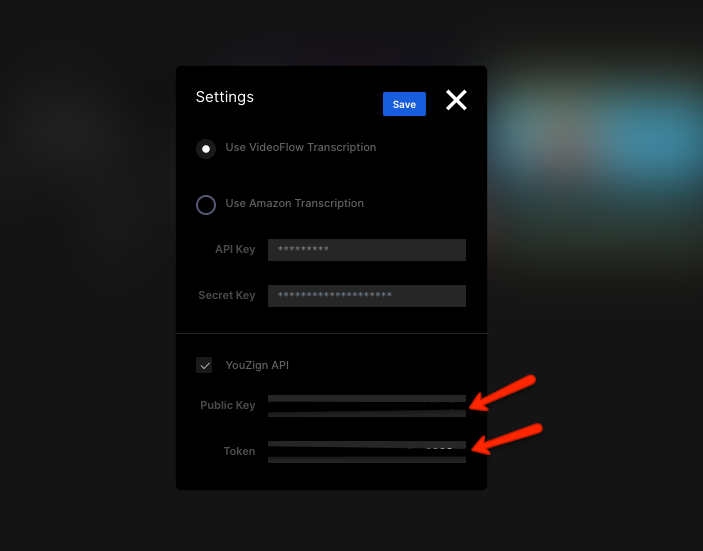
3. Key in your Public API keys and token on the Youzign API field then click Save. (you can get these keys from your Youzign Account page)
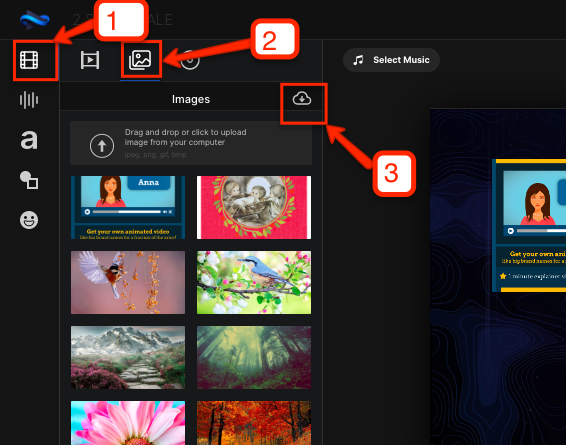
4. Now that your Youzign and VideoFlow accounts are already connected, you can now fetch your designs inside VideoFlow's editor. Simply click on the Media tab at the left of the editor then, Images, and lastly the Cloud icon.
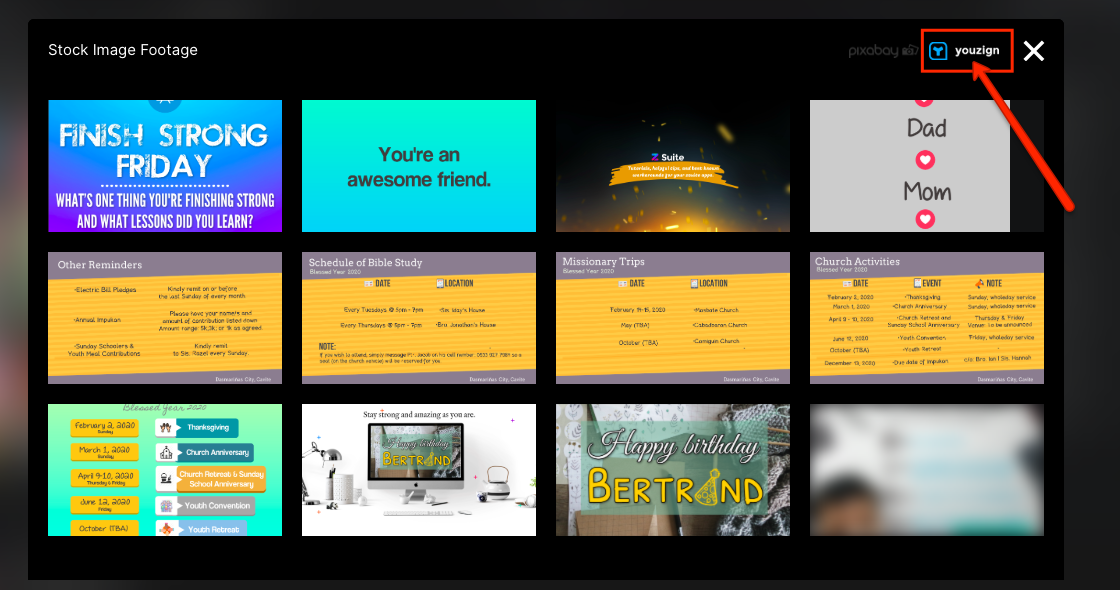
5. After clicking the Cloud icon, a popup window will appear. Select Youzign from the library options at the top right corner and select your design that you wish to add to your video.
That's it! :)