
Use the blend modes to change how two layers are blended with each other in Youzign.
To do so please follow this tutorial:
1. Add an image, object or text layer to the canvas on top of another layer
2. Select the Effects tool from the tools panel, and choose your blend mode
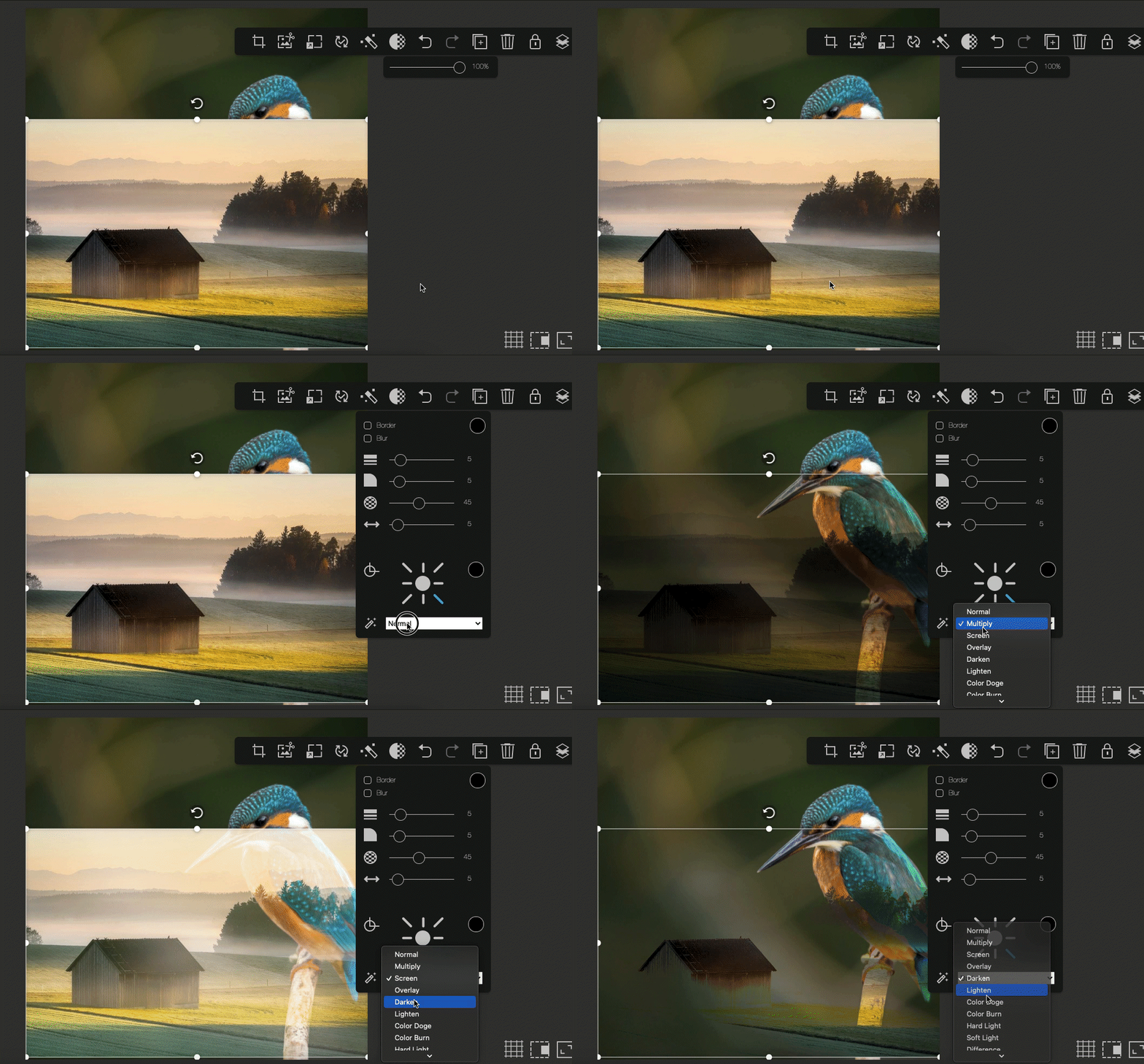
3. Try different blend modes until you find something that looks good
You are up to speed! Now try it in Youzign.