
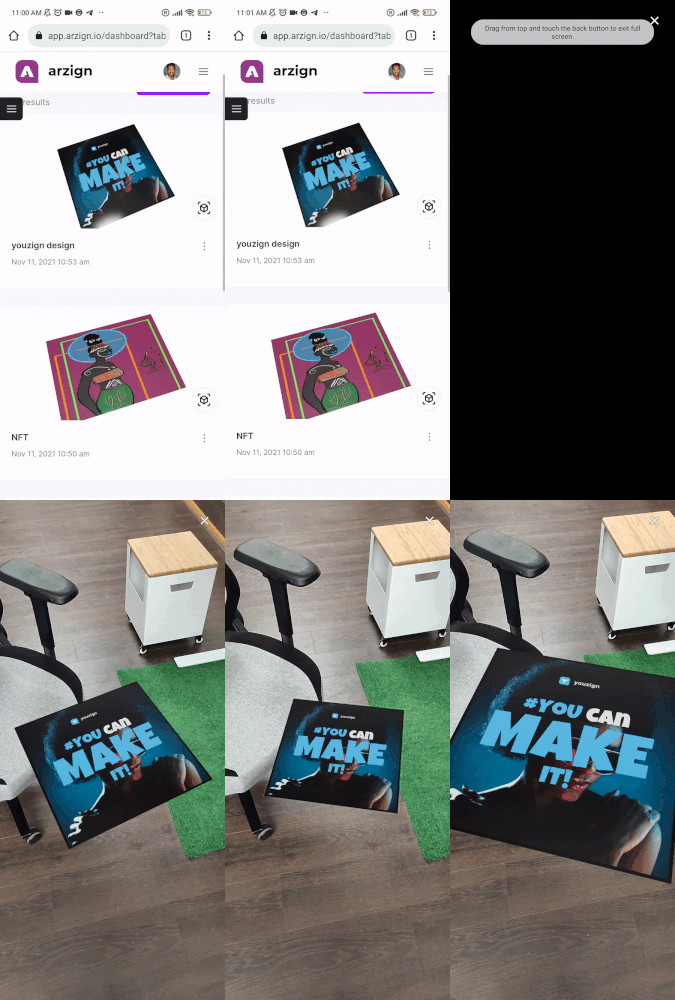
If you want to check arzign designs from your phone, you can do so without a marker by using the preview feature, as shows in the GIF below.
Simply head over to https://app.arzign.io (or go to https://arzign.io and scroll to the bottom to find the login link) and login with your credentials.
Then tap on the Cube button to preview the AR on your phone.

That's it! This will open your phone camera and you will be able to see your design in augmented reality!