
You can retrieve and insert your Youzign designs inside InfluencersHub using our integration. Here is how to do it.
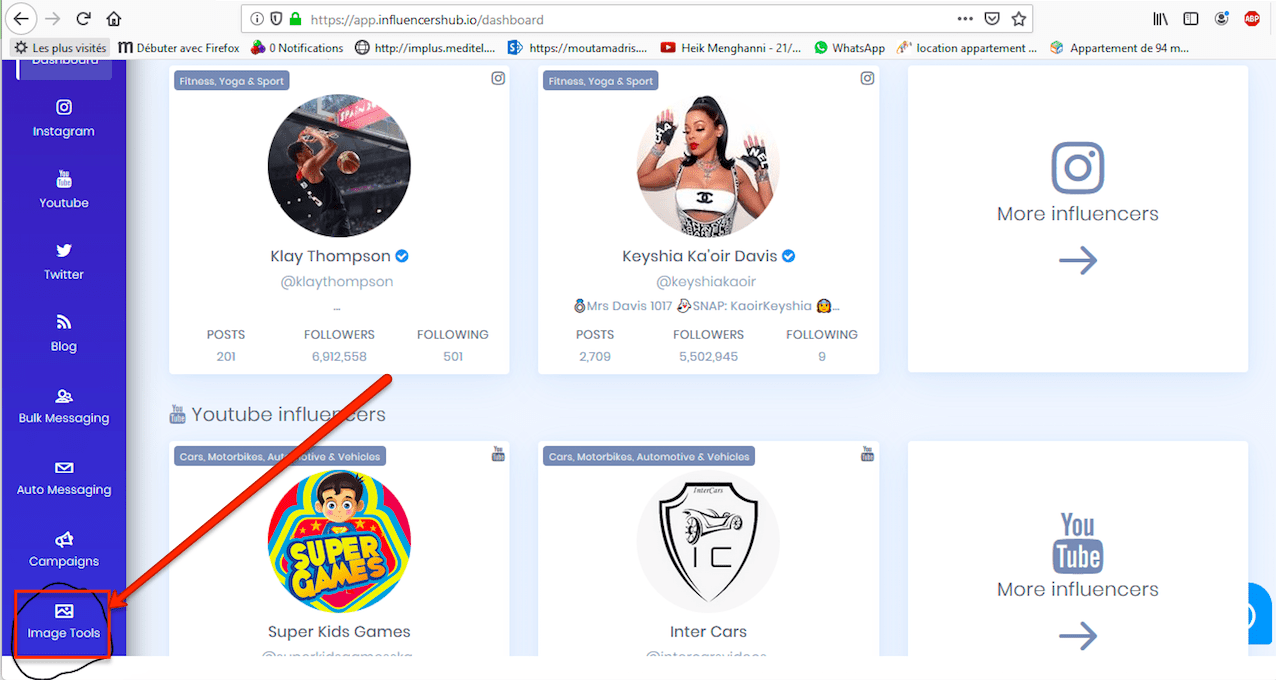
1. Login to your InfluencersHub account and click on Image Tools at the left side of your dashboard.
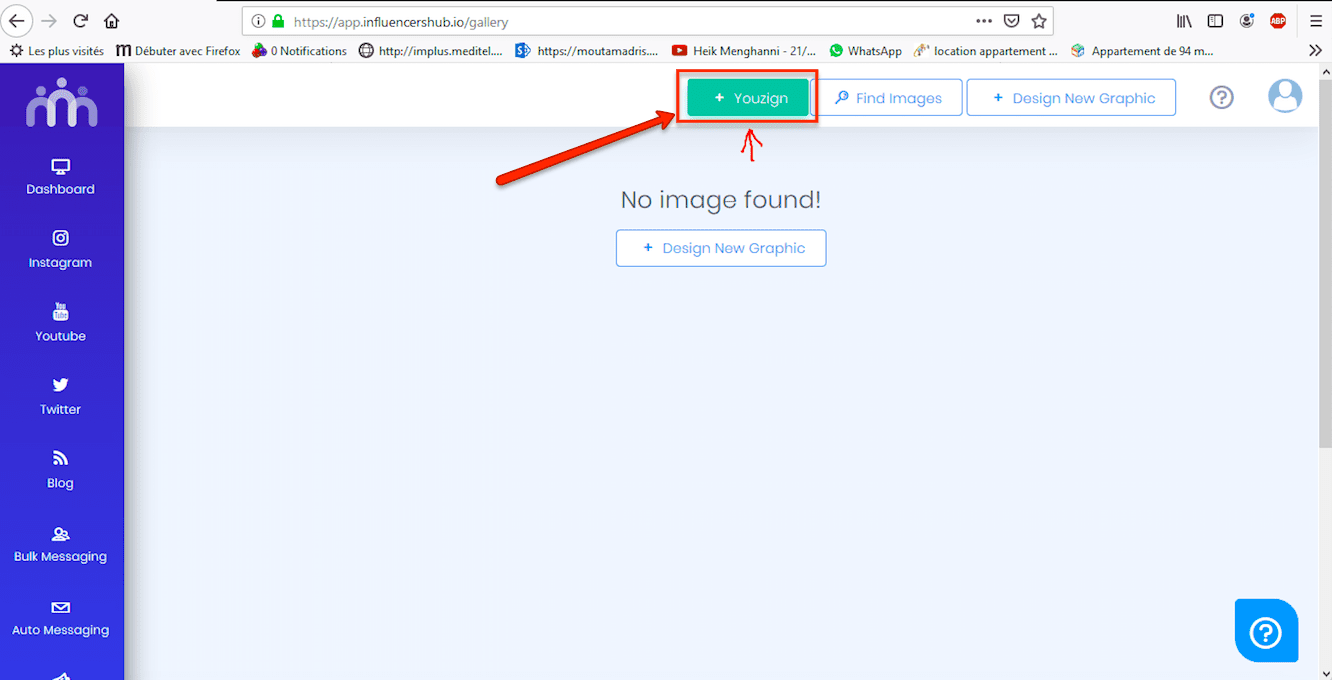
2. Select the Youzign button at the top of the page.
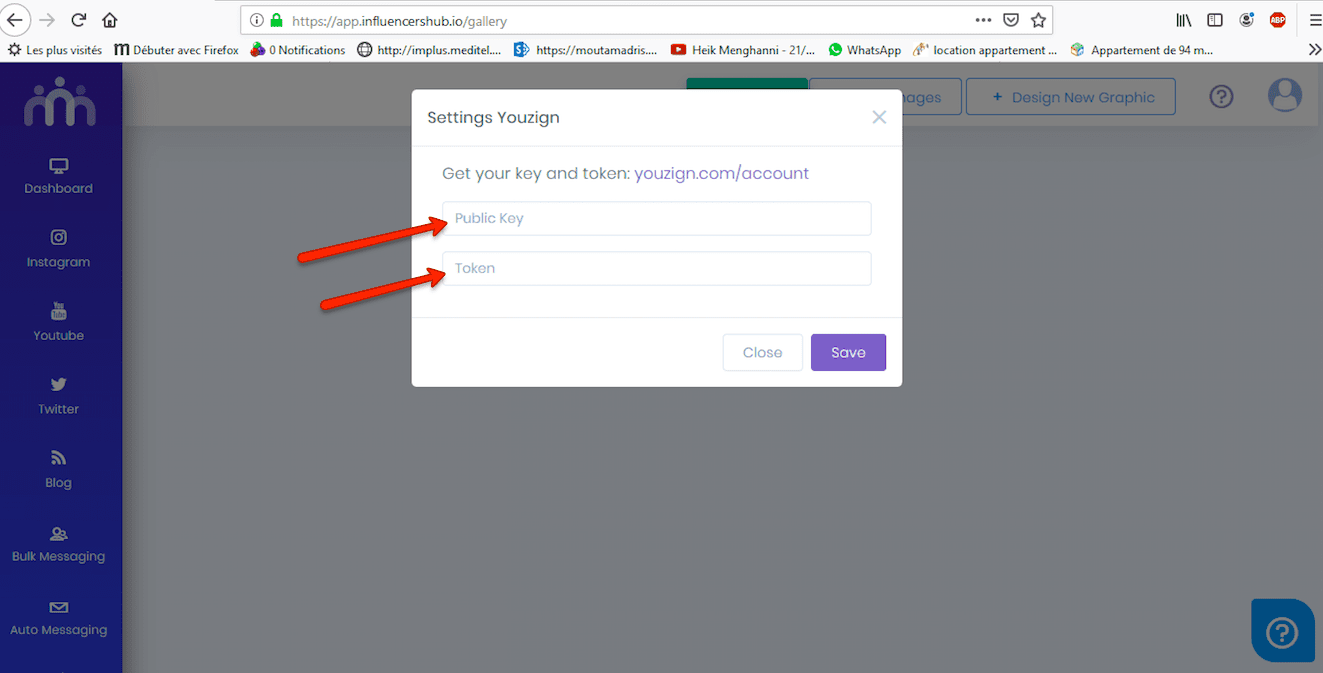
3. Key in your Youzign API public key and Token. You can find these info in your Youzign account tab.
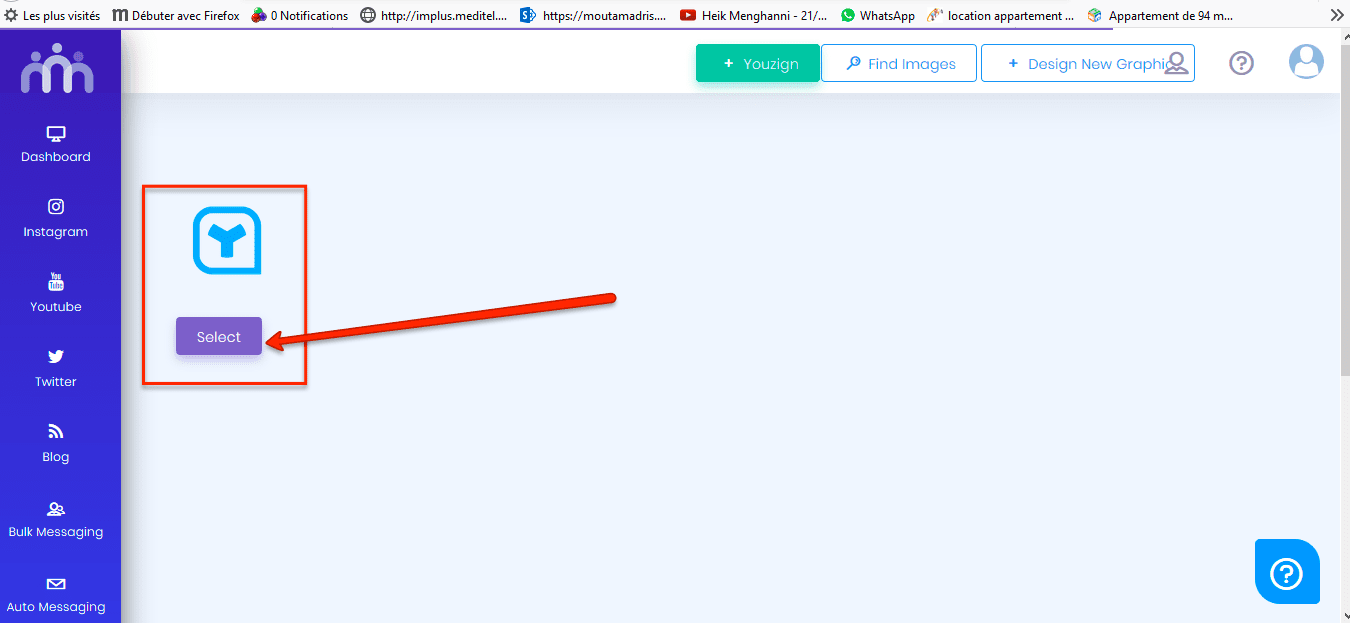
4. Once done, you can begin accessing your Youzign creations inside InfluencersHub.
Thanks!