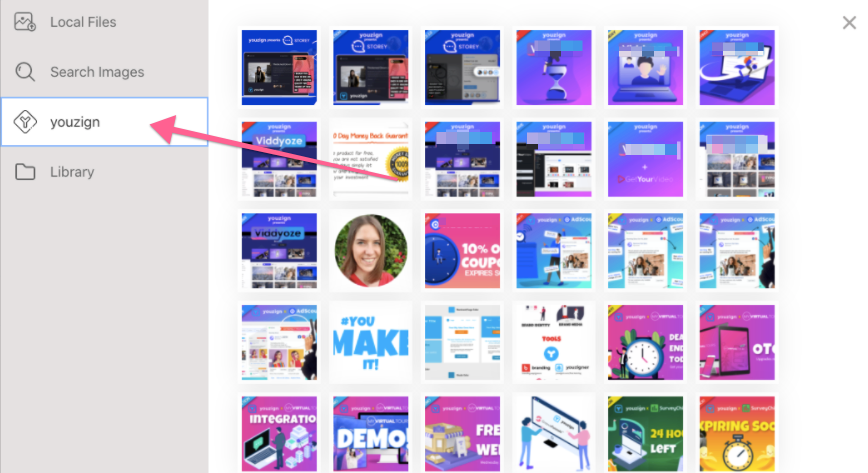
You can now fetch your Youzign designs inside your Meet Storey account.
Here's how to connect both apps:
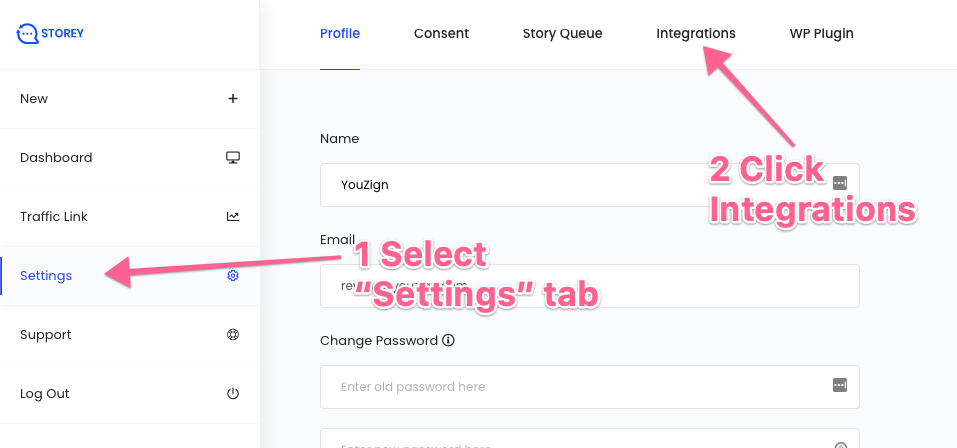
1. Login to your Storey dashboard.
2. Go to Settings and choose Integrations from the top menu.
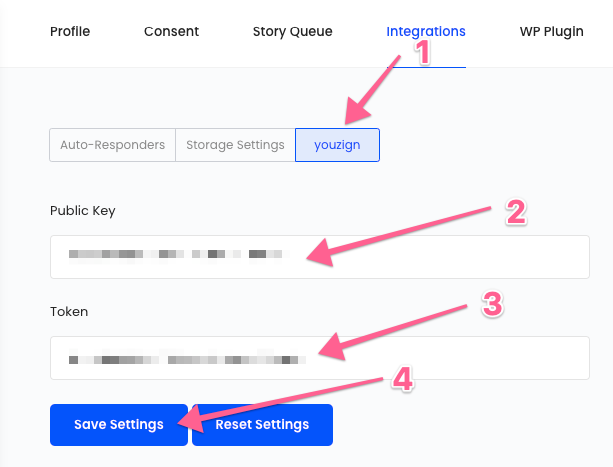
3. Then choose Youzign. Enter your public API Key and Token.
Click here to find out how to get your API Key and Token.
4. You're set! You can now access your Youzign designs inside your Storey account.